
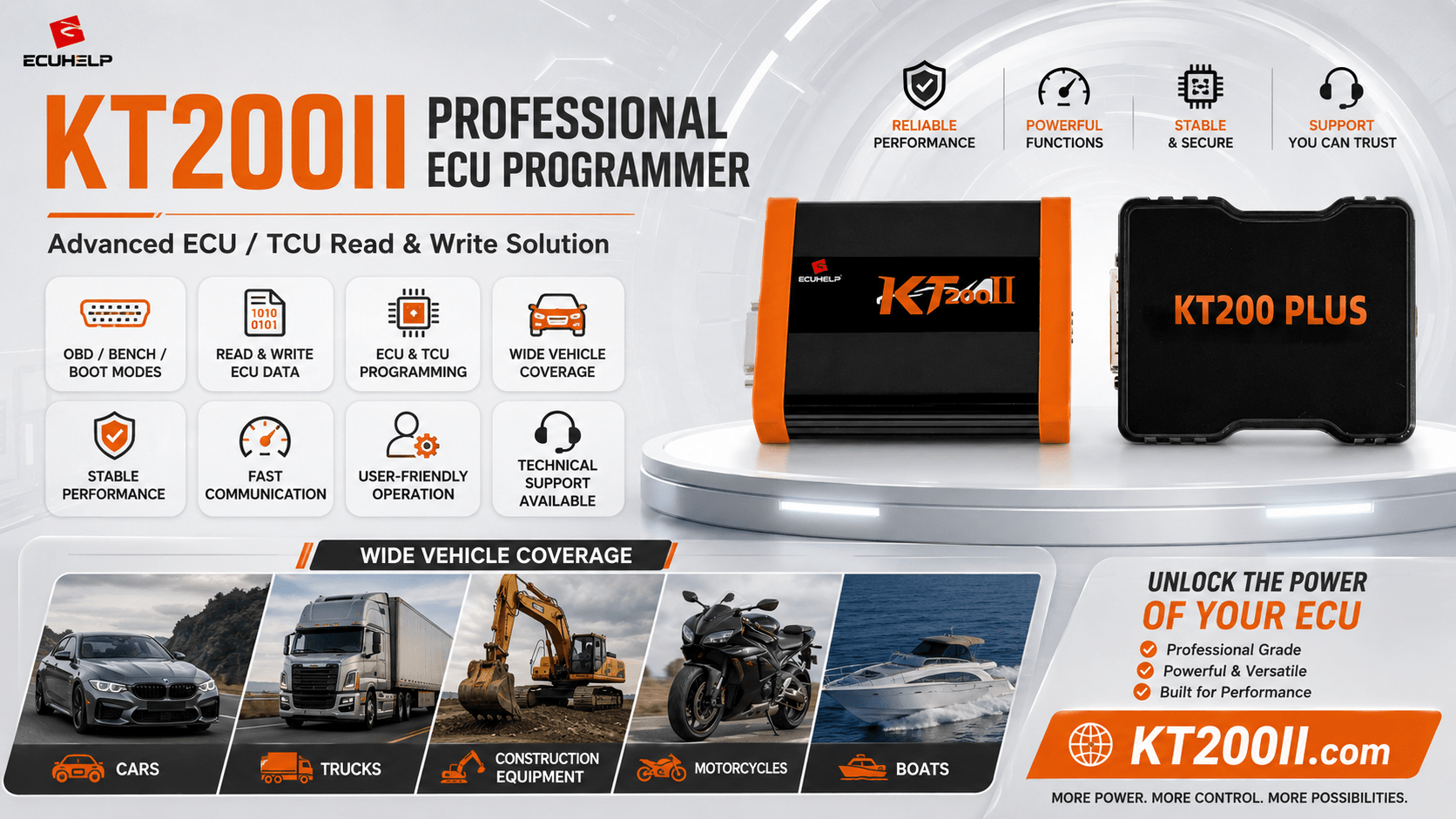
Creating a reliable ECU backup is one of the most important steps before programming, tuning, cloning, repairing or replacing an engine or transmission control unit.
A backup gives the workshop a reference to the original software and may provide the data required to restore the controller if a write is interrupted or an incorrect file is selected.
However, the word backup does not always mean the same thing.
A Virtual Read file, calibration read, Flash file, EEPROM file, MCU file and full backup can contain different information. A file suitable for tuning may not contain enough data for cloning or recovery.
This KT200 Plus ECU backup guide explains which files may be available, what each file can contain, how connection mode affects data access and how to organize original files before beginning professional ECU or TCU work.
Why an ECU Backup Is Essential
ECU and TCU programming changes data stored inside a control unit. When the correct original information has been saved, technicians have a stronger recovery and verification reference.
A professional backup may help with:
Software Restoration
Restore verified original software after an unsuitable modification or unsuccessful calibration.
Failed-Write Recovery
Provide the original memory data needed by a supported OBD, Bench, Boot or JTAG recovery procedure.
ECU Cloning
Transfer the required original data to compatible replacement hardware through a supported cloning workflow.
File Verification
Compare a modified or replacement file with the original software, file size and controller identification.
Customer Records
Preserve the original control-unit condition and programming history for future workshop service.
Donor Restoration
Return a donor ECU or TCU to its original state when the replacement hardware is later found to be unsuitable.
A Backup Must Be Created Before the Problem
A technician cannot depend on reading the original data after a failed write. The ECU may no longer communicate normally or the original memory area may already have been erased.
Save all available original data before selecting Write.
What Data Can an ECU Contain?
A modern ECU or TCU may contain several categories of information:
- Main operating program
- Engine or gearbox calibration
- Vehicle configuration
- Hardware and software identification
- Adaptation or learned values
- Diagnostic information
- Component coding
- Processor configuration
- Vehicle-specific authorization data
This information may be stored in internal Flash, external Flash, EEPROM, processor memory or several separate memory regions.
The correct backup is determined by the control-unit architecture and the required repair—not simply by choosing the largest file.
Main KT200 Plus Backup File Types
| File Type | Possible Content | Typical Use | Main Limitation |
|---|---|---|---|
| Virtual Read | Matching original software obtained from controller identification. | Supported tuning, software restoration and OBD writing. | May not represent the exact physical data currently inside the ECU. |
| Calibration or Maps | Selected engine or transmission calibration data. | Supported calibration and tuning work. | Usually does not contain complete cloning or recovery data. |
| Internal Flash | Main program, calibration or processor-integrated software. | Programming, recovery, repair and selected cloning procedures. | Other memory areas may still be required. |
| External Flash | Program or calibration stored in a separate memory device. | Physical backup, cloning and advanced repair. | Does not automatically include EEPROM or internal MCU data. |
| EEPROM | Configuration, coding, adaptations, identification or other controller-specific data. | Replacement, cloning and configuration repair. | Normally cannot replace damaged main operating software. |
| Micro or MCU | Processor-integrated program and internal data. | Deep backup, cloning and selected Boot or JTAG recovery. | Must be written through the matching processor operation. |
| Full Backup | A protocol-specific collection of supported memory areas. | Advanced recovery, cloning and professional repair. | Its exact contents vary between protocols. |
Is Virtual Read a Complete ECU Backup?
Not necessarily.
Virtual Read normally uses the ECU identification to obtain matching original software for a supported protocol.
This can be valuable when physical OBD reading is not available, but the virtual file may not contain:
- The exact data currently installed in the ECU
- Previous tuning modifications
- Original EEPROM data
- Microcontroller-internal data
- Current adaptation values
- Complete vehicle-specific information
A Virtual Read may be appropriate for a supported tuning or software restoration workflow while still being insufficient for complete ECU cloning.
Do Not Label Every Virtual File as a Full Backup
Save the file as a Virtual Read and record how it was obtained. This prevents it from being confused later with a physical Flash, EEPROM or MCU read.
What Is a Physical ECU Read?
A physical read retrieves supported data directly from the connected ECU or TCU memory.
Depending on the protocol, KT200 Plus may physically read:
- Calibration data
- Internal Flash
- External Flash
- EEPROM
- Micro or MCU data
- A dedicated full backup
Physical reading can preserve the data currently installed in the controller, including existing modifications where the selected memory area contains them.
The available data still depends on the exact ECU, processor, protocol and connection method.
Flash Backup
Flash memory commonly contains the operating program and calibration required for ECU or TCU operation.
A Flash backup may be used for:
- Restoring original software
- Preparing a tuning file
- Recovering a corrupted program area
- Comparing software versions
- Supporting selected cloning procedures
Some controllers divide their software between internal and external Flash. Read both when the KT200 Plus protocol offers separate operations.
A Flash Backup Is Not Always a Complete Clone
The controller may also require EEPROM, MCU or dedicated clone data. Confirm the exact cloning procedure before programming a donor ECU.
EEPROM Backup
EEPROM commonly stores smaller but important controller-specific information that must remain available after the ECU is switched off.
Depending on the controller, it may contain:
- Vehicle configuration
- Coding information
- Adaptation values
- Control-unit identification
- Injector or component data
- Transmission learned values
- Operating counters
- Authorized vehicle-specific data
EEPROM may be stored in a separate chip or emulated inside another memory device.
Never load an EEPROM file into a Flash operation simply because both files use the BIN extension.
Micro or MCU Backup
Micro or MCU refers to data stored inside the main microcontroller.
Depending on the processor, this data may include:
- Internal Flash
- Processor operating code
- Internal configuration
- Access or startup information
- Controller-specific internal data
MCU data may be essential during selected Boot or JTAG cloning and recovery operations.
Memory Files Are Not Interchangeable
Write each Flash, EEPROM or MCU file only through the matching KT200 Plus memory operation.
Loading the correct file into the wrong memory region can create an unusable controller.
What Does Full Backup Mean?
Full backup generally refers to a collection of the memory areas made available by a specific protocol.
A KT200 Plus full backup may include one or more of the following:
- Internal Flash
- External Flash
- EEPROM
- Micro or MCU data
- Processor-access information
- Protocol-specific metadata
The phrase does not guarantee identical content for every ECU or TCU.
Record every generated file, its size, the selected protocol and the connection mode used to create it.
Which Backup Is Needed for Tuning?
Supported tuning normally requires the memory area containing calibration maps.
Depending on the protocol, this may be:
- A Virtual Read file
- An OBD physical read
- A calibration-only file
- A Bench Flash read
- A Boot Flash read
Before sending a file for calibration work, include the ECU identification and explain how the file was read.
Preserve all additional original files even when they are not required for tuning.
Which Backup Is Needed for ECU Cloning?
Cloning requirements vary significantly.
A supported ECU or TCU clone may require:
- Flash only
- Flash and EEPROM
- EEPROM and MCU
- Internal and external Flash
- A protocol-specific full backup
- A dedicated Clone function
Before writing the donor, confirm:
- ECU or TCU family
- Hardware number
- Processor or MCU
- Memory layout
- Connector and pin configuration
- Required KT200 Plus operation
Review the KT200 Plus ECU Cloning Guide before preparing replacement hardware.
Which Backup Is Needed for Recovery?
| Programming Problem | Possible Damaged Area | Possible Recovery Resource |
|---|---|---|
| Calibration Write Failure | Calibration or map region. | Verified original calibration or matching supported software. |
| Main Program Corruption | Internal or external Flash. | Original Flash or a verified full backup. |
| Configuration Loss | EEPROM or processor-internal data. | Original EEPROM, MCU or controller-specific backup. |
| Incomplete Clone | One or more required memory areas were not transferred. | Complete original backup or dedicated clone data. |
| No Normal Communication | Startup program, Flash or processor data. | Verified Boot or JTAG backup through the supported protocol. |
Use the KT200 Plus ECU Recovery Guide when an ECU no longer communicates after programming.
How Connection Mode Affects Backup Access
| Mode | Connection | Possible Backup Access |
|---|---|---|
| OBD | Through the vehicle diagnostic connector. | Identification, Virtual Read, calibration or supported physical read. |
| Bench | Directly through the ECU or TCU external connector. | Flash, EEPROM, direct backup and cloning data where supported. |
| Boot | Direct connection involving processor or board-level points. | Deeper Flash, EEPROM, MCU and recovery access. |
| JTAG | Board-level processor interface. | Processor memory, advanced backup, cloning and recovery. |
Compare the connection methods in the KT200 Plus OBD vs Bench vs Boot Guide .
Professional KT200 Plus ECU Backup Workflow
Record the Vehicle Information
Save the manufacturer, model, year, engine, transmission and customer repair request.
Photograph the ECU or TCU
Record the complete label, housing, connectors and visible part numbers.
Confirm Protocol Support
Search the exact controller, processor, working mode and required operation.
Prepare Stable Power
Use suitable vehicle battery support or a regulated Bench power supply.
Read Identification
Save hardware, software, calibration and processor information before reading memory.
Review Every Read Option
Check whether KT200 Plus provides Virtual Read, Flash, EEPROM, MCU, full backup or Clone.
Read All Available Original Data
Save every original memory area offered by the confirmed protocol.
Record File Sizes
Document each file name, memory type, size, read mode and completion result.
Create Duplicate Copies
Store untouched originals on at least two separate storage locations.
Create a Working Copy
Use a separate copy for tuning, repair, checksum correction or donor preparation.
Verify the Write File
Confirm the source, memory area, file size, software match and checksum requirements.
Save the Final Result
Record the file written, programming result, final identification and diagnostic report.
Read the Donor Before Cloning
Always back up compatible donor hardware before writing it when the protocol provides a read function.
The donor backup may be required when:
- The donor is later found to be incompatible
- The cloning file is incomplete
- The write is interrupted
- The donor must be returned to its original condition
- Hardware or software identification needs comparison
Keep Original and Donor Files Separate
Store the original vehicle ECU and donor ECU data in clearly labeled folders. Never overwrite one with the other.
How to Verify a Backup
After the read is completed:
- Confirm that KT200 Plus reports successful completion
- Save the identification screenshot
- Record the selected protocol
- Record the OBD, Bench, Boot or JTAG mode
- Record every file size
- Confirm each file opens or is recognized where appropriate
- Repeat important reads when practical
- Investigate different results from repeated reads
- Create duplicate backup copies
A file created after an interrupted read should not be treated as a verified original backup.
Recommended File Naming System
Avoid names such as original.bin, read1.bin or goodfile.bin.
Recommended format:
Vehicle_ECU_HW_SW_Mode_Memory_Source_Status_Date.bin
Examples:
- BMW_MD1CS001_HW028103_SW1039_BENCH_FLASH_ORIGINAL_2026-08-01.bin
- BMW_MD1CS001_HW028103_SW1039_BOOT_EEPROM_ORIGINAL_2026-08-01.bin
- BMW_MD1CS001_HW028103_SW1039_BOOT_MCU_ORIGINAL_2026-08-01.bin
Recommended Customer Folder Structure
- 01 — Vehicle information
- 02 — Initial diagnostic report
- 03 — ECU or TCU label photographs
- 04 — Original identification
- 05 — KT200 Plus protocol screenshots
- 06 — Virtual Read
- 07 — Original calibration
- 08 — Original internal Flash
- 09 — Original external Flash
- 10 — Original EEPROM
- 11 — Original Micro or MCU
- 12 — Original full backup
- 13 — Donor identification
- 14 — Donor original backup
- 15 — Modified working files
- 16 — Final files written
- 17 — Programming-result screenshots
- 18 — Final diagnostic report
Checksum and Original Backups
A verified original backup should normally remain unchanged.
When creating a modified working file:
- Preserve the original master file
- Confirm the exact software version
- Use the correct memory-area file
- Check whether checksum correction is required
- Confirm whether KT200 Plus handles checksum during writing
- Record which file was modified
Review the KT200 Plus Checksum and File Verification Guide before writing a modified file.
Common ECU Backup Mistakes
Saving Only the Tuning File
Preserve the original identification and all additional memory areas provided by the protocol.
Treating Virtual Read as Full Backup
Virtual Read may not include physical EEPROM, MCU or current modified data.
Reading Flash but Ignoring EEPROM
EEPROM may contain data required for selected cloning or replacement procedures.
Overwriting the Original File
Keep untouched master copies and create separate working files.
Mixing Original and Donor Files
Separate files by vehicle, controller and source.
Using File Size as the Only Check
Also compare hardware, software, processor, memory area and protocol.
Skipping the Donor Backup
Save the replacement controller's original data before writing.
Using an Incomplete Read
Do not use a file created after a communication or power error.
Failing to Record the Read Mode
The same ECU may provide different data through OBD, Bench and Boot.
Storing Every File in One Folder
Use a structured system to prevent accidental writing of the wrong file.
How to Check KT200 Plus Backup Support
Search the KT200 Plus Supported Vehicles Database using:
- Vehicle manufacturer
- ECU or TCU manufacturer
- Controller family
- Processor or MCU
- Protocol code
- Required OBD, Bench, Boot or JTAG mode
- Required read, write, backup or cloning operation
Open the selected protocol in the KT200 Plus software and review the exact available operation buttons before connecting the controller.
Information to Send ECUHELP Support
Prepare the following information when the correct backup procedure is unclear:
- Vehicle manufacturer, model and year
- Engine or transmission information
- Complete ECU or TCU label photograph
- Hardware and software identification
- Processor or MCU where known
- Selected KT200 Plus protocol
- Connection mode
- Available read and write buttons
- File names and sizes
- Required tuning, cloning, replacement or recovery operation
Contact the ECUHELP Technical Support Center before writing when the required memory data remains uncertain.
KT200 Plus ECU Backup Checklist
Confirm These Points Before Writing
- The vehicle and controller are correctly identified
- The ECU or TCU label has been photographed
- The hardware and software numbers are recorded
- The processor or MCU is confirmed where required
- The correct KT200 Plus protocol is selected
- The correct connection mode is confirmed
- Stable vehicle or Bench power is prepared
- The original identification has been saved
- Virtual Read limitations are understood
- All available physical memory areas have been read
- Flash, EEPROM and MCU files are labeled separately
- Full-backup contents have been recorded
- Every file size has been recorded
- Original master files remain unchanged
- Duplicate backup copies have been created
- The donor controller has been backed up
- The write file matches the selected memory operation
- Checksum handling is confirmed
- A recovery plan is available
- Uncertain details have been confirmed with support
Frequently Asked Questions
Can KT200 Plus back up an ECU?
KT200 Plus provides supported ECU and TCU reading and backup operations. Available data depends on the exact protocol and connection method.
Is Virtual Read a complete backup?
Not necessarily. It may provide matching original software without the ECU's physical EEPROM, MCU or current modified data.
What files should I save before tuning?
Save identification, the original calibration or Flash file and every additional backup option provided by the protocol.
Is Flash enough for ECU cloning?
Not always. Some ECUs also require EEPROM, MCU, full-backup or dedicated clone data.
Should I back up the donor ECU?
Yes. Save the donor identification and all available original data before writing it.
What does full backup mean?
It refers to the collection of memory areas provided by a specific protocol. Exact contents vary between controllers.
Can I write an EEPROM file as Flash?
No. Each memory file must be written through the matching KT200 Plus operation.
Why should I record file sizes?
File size helps identify incomplete reads and incorrect memory selections, although it is not the only compatibility check.
How many backup copies should I keep?
Keep the workshop copy and at least one separate protected copy of every important original file.
Where can I check backup support?
Search the ECU, TCU, processor and required operation in the KT200 Plus Supported Vehicles Database.
Final Thoughts
A professional KT200 Plus ECU backup is more than one file named original.bin.
Virtual Read, calibration, Flash, EEPROM, MCU and full-backup files can contain different data and support different workshop operations.
Before tuning, writing, cloning or recovery, save the ECU identification and every original memory area provided by the confirmed protocol.
Record the connection mode and file sizes, preserve untouched master copies and keep original and donor files in separate folders.
When the required backup data or memory operation remains uncertain, stop before writing and request technical confirmation.
Confirm Your KT200 Plus Backup Procedure
Send ECUHELP the ECU or TCU label, hardware and software identification, protocol screenshot, available read operations and required repair.
Review the KT200 Plus ECU and TCU programming features .
Search the KT200 Plus supported ECU and TCU database .
Compare KT200 Plus OBD, Bench and Boot modes .
Read the KT200 Plus ECU Cloning Guide .
Read the KT200 Plus ECU Recovery Guide .
Review the KT200 Plus Checksum and File Verification Guide .
Download official resources from the KT200 Plus Software Download page .
Review common questions on the KT200 Plus FAQ page .
View and order the KT200Plus ECU Programmer .
Read more articles on the KT200 Plus Technical Blog .
Available Flash, EEPROM, MCU, Virtual Read and full-backup functions depend on the control-unit family, processor, hardware version, software version, connection mode and selected KT200 Plus protocol.
A matching file name, extension or size does not guarantee compatibility. Confirm the source controller, memory area, hardware, software and write operation before programming.
Preserve all original data, maintain stable power and request technical support whenever the correct backup or recovery procedure remains uncertain.





Comments (2)