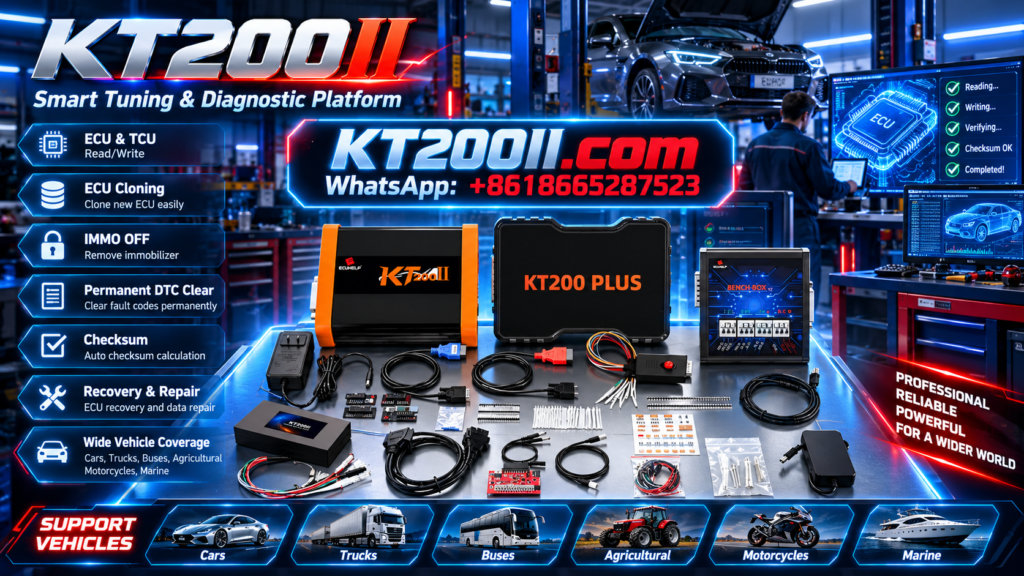
KT200 Plus Transmission Programming Guide
KT200 Plus ZF 8HP TCU Programming Guide: OBD, Bench, Backup and Replacement
A professional workflow for identifying a ZF 8HP transmission controller, checking KT200 Plus protocol support, preserving original data and preparing programming or replacement work.
ZF 8HP is a broad automatic-transmission family used across different vehicle manufacturers, drivetrain configurations and production generations.
For a programming technician, “8HP” is only the beginning of controller identification. Different 8HP transmissions can use different mechatronic revisions, control-unit part numbers, processors, hardware versions, software versions and vehicle-specific programming requirements.
KT200 Plus provides ECU and TCU programming functions through compatible OBD, Bench, Boot and JTAG protocols. The actual identification, reading, writing, backup, cloning or recovery functions depend on the exact ZF 8HP controller and selected protocol.
This guide explains how to research and prepare a KT200 Plus ZF 8HP programming job without treating every 8HP mechatronic controller as identical.
Identify the complete ZF 8HP transmission and TCU, search the exact controller in the KT200 Plus Supported Vehicles Database, and confirm the displayed connection and memory operations. Save TCU identification and every available original file before writing or transferring data to a replacement controller.
What Is a ZF 8HP TCU?
The transmission control unit manages the electronic and hydraulic operation of the gearbox. Depending on the transmission and vehicle, the controller may be integrated into a mechatronic assembly.
The TCU can control or coordinate:
- Gear selection
- Shift timing and quality
- Hydraulic pressure
- Torque-converter clutch operation
- Solenoid and valve-body control
- Input and output speed monitoring
- Oil-temperature monitoring
- Torque communication with the engine ECU
- Vehicle-network communication
- Transmission adaptations and protection strategies
Programming the main TCU software does not automatically complete coding, personalization, initialization or gearbox-adaptation procedures required after replacement.
Identify the Exact ZF 8HP Transmission
Do not select a KT200 Plus protocol using only the term “ZF 8HP.” Record the most specific information available from the vehicle, gearbox and mechatronic controller.
| Identification Point | What to Record | Why It Matters |
|---|---|---|
| Vehicle | Manufacturer, model, year and drivetrain | Separates different transmission applications |
| Transmission | Complete 8HP designation or gearbox code | Identifies the transmission generation and configuration |
| TCU Part Number | Complete ZF and OEM references | Distinguishes visually similar controllers |
| Hardware | Hardware number and revision | Important for donor and file compatibility |
| Software | Software, calibration or dataset information | Required for original-file matching |
| Required Work | Read, Write, Backup, Clone, Replace or Recover | Determines the memory access required |
Two ZF 8HP mechatronic controllers can appear physically similar while using different hardware, software or vehicle-specific data. Photograph the complete labels of both the original and replacement controllers before planning a data transfer.
How to Search ZF 8HP in KT200 Plus
Open the official KT200 Plus ECU and TCU Protocol Database and search using the most specific information available.
Useful search terms include:
- ZF 8HP
- Complete 8HP transmission designation
- Vehicle manufacturer plus 8HP
- TCU part number
- Transmission code
- 8HP OBD
- 8HP Bench
- 8HP Read or Write
- 8HP Clone
After finding a possible result, open the protocol and confirm the exact available buttons. A listed controller does not automatically mean that every identification, reading, writing, cloning and recovery function is available.
Confirm the Required KT200 Plus Operation
| Operation | Purpose | Important Check |
|---|---|---|
| TCU Identification | Reads available hardware and software information | Save the result before programming |
| Virtual Read | Obtains matching software through supported identification | Do not treat it automatically as a complete backup |
| Physical Read | Reads supported data from the connected controller | Record the exact memory area |
| Write | Programs verified data into the controller | Confirm file format and checksum workflow |
| Full Backup | Preserves protocol-specific original data | Save every file separately |
| Clone | Transfers required data to compatible hardware | Verify original and donor compatibility first |
KT200 Plus ZF 8HP OBD Programming
When the controller-specific protocol provides the required OBD operation, communication takes place through the vehicle diagnostic connector.
Before beginning:
- Confirm the exact vehicle and transmission
- Save a complete diagnostic scan
- Prepare stabilized vehicle battery support
- Switch off unnecessary electrical loads
- Keep the diagnostic connector secure
- Connect the programming computer to reliable power
- Disable sleep, hibernation and automatic restart
- Follow every ignition and selector instruction displayed by KT200 Plus
OBD identification may succeed even when the vehicle battery cannot maintain suitable voltage throughout a longer Write operation. Prepare the electrical system before loading the file.
KT200 Plus ZF 8HP Bench Programming
Bench Mode provides direct communication with a supported transmission controller through its external connector. It requires the exact wiring diagram associated with the selected protocol.
Verify Before Applying Power
- The complete 8HP controller is identified
- The exact KT200 Plus protocol is selected
- The connector viewing direction is understood
- Pin 1 is located correctly
- Every required permanent positive is connected
- Ignition or wake-up supplies are connected where specified
- All required grounds are connected
- CAN High, CAN Low or other communication lines are verified
- The regulated power supply is configured correctly
- All terminals and cables are mechanically secure
Never apply external power using a wiring diagram selected only from the gearbox-family name. Similar connectors do not independently prove identical pin assignments.
For a general comparison of connection methods, review the KT200 Plus OBD, Bench and Boot Guide.
Read ZF 8HP TCU Identification First
When identification is available, save all information returned by KT200 Plus before reading or writing memory.
Useful records may include:
- Transmission family
- TCU manufacturer
- OEM part number
- Hardware number
- Software number
- Calibration or dataset information
- Protocol identification
- Vehicle-related information where displayed
Store the TCU ID screenshot together with the vehicle information, mechatronic label photograph and selected KT200 Plus protocol.
Create the Original ZF 8HP Backup
Before changing controller data, save every original memory area made available by the exact protocol and required for the service objective.
| Backup Component | Possible Purpose | Storage Rule |
|---|---|---|
| TCU ID | Hardware and software matching | Save screenshot and text record |
| Flash | Transmission software or calibration | Keep the verified original unchanged |
| EEPROM | Configuration or controller-specific data where supported | Store separately from Flash |
| Micro or MCU | Processor-related data where available | Label with processor and operation |
| Full Backup | Protocol-specific cloning or recovery record | Preserve all generated files together |
The first verified original files should become the master reference. Create separate working copies for authorized calibration or repair work.
Virtual Read vs Physical Read for ZF 8HP
A Virtual Read and a physical read may serve different purposes.
- Virtual Read: may provide matching stock software based on TCU identification.
- Physical Read: retrieves supported data directly from the connected transmission controller.
A Virtual Read should not automatically be treated as a full TCU backup. It may not contain EEPROM, Micro, adaptation-related or other vehicle-specific data needed for complete cloning or recovery.
Read the KT200 Plus Virtual Read vs Physical Read Guide before deciding which file is suitable for the job.
ZF 8HP TCU Replacement and Cloning
A physical replacement controller may need more than the correct main software. Depending on the vehicle and controller, replacement work may also involve configuration, coding, personalization, adaptation or vehicle-specific data.
Compare the Original and Replacement TCU
- Complete transmission designation
- ZF and OEM part numbers
- Hardware number and revision
- Software family
- Vehicle and drivetrain application
- Connector and mechatronic revision
- Processor where relevant
- Available memory operations
- Dedicated cloning function where provided
Do not overwrite a replacement ZF 8HP controller until its original identification and available memory have also been backed up. Preserve both the original and donor condition so the programming history can be reconstructed.
Verify the ZF 8HP File Before Writing
A filename containing “8HP” does not prove that the file belongs to the connected TCU.
- The complete transmission controller matches
- The vehicle and drivetrain application match
- The hardware number is compatible
- The software family is confirmed
- The file source is known
- The correct memory area is selected
- The file size and format match the protocol
- Virtual and physical files are clearly separated
- Original and replacement controllers are compatible
- The checksum workflow is understood
- The original master files remain unchanged
- A supported recovery path is prepared
A correct checksum confirms file-integrity conditions within the relevant workflow. It does not independently prove that the file belongs to the correct TCU hardware or software family.
Professional KT200 Plus ZF 8HP Workflow
- Record the vehicle: save manufacturer, model, year, engine and drivetrain.
- Identify the transmission: record the complete 8HP designation and gearbox code.
- Photograph the TCU: capture every ZF and OEM reference.
- Search the database: compare all relevant KT200 Plus protocol results.
- Confirm the mode: select the controller-specific OBD or Bench method.
- Prepare power: stabilize the vehicle or regulated Bench supply.
- Read TCU ID: save hardware, software and protocol information.
- Create the backup: preserve every useful original memory area.
- Verify the file: check source, controller, memory, size and checksum workflow.
- Program safely: maintain power and communication until final completion.
- Complete vehicle procedures: perform required coding, initialization and adaptation.
- Verify the result: scan, test and archive the complete job record.
Post-Programming Checks
After KT200 Plus completes the programming operation, follow the vehicle-specific repair procedure.
- Complete the instructed power-down sequence
- Reinstall and connect the mechatronic controller correctly
- Perform a complete diagnostic scan
- Verify communication with the engine and drivetrain controllers
- Complete required coding or configuration
- Perform transmission initialization where specified
- Complete adaptation or relearning procedures
- Check selector and gear-position information
- Monitor transmission temperature and fault status
- Perform a controlled functional or road test
- Scan the vehicle again after testing
Programming cannot repair mechanical clutch, hydraulic, solenoid, valve-body, sensor or internal transmission damage. Diagnose the underlying fault before treating the TCU file as the cause.
Common KT200 Plus ZF 8HP Mistakes
- Searching only “8HP” without identifying the full controller
- Selecting a protocol from vehicle brand alone
- Matching the replacement TCU by housing appearance
- Using an unverified Bench wiring diagram
- Beginning an OBD Write without battery support
- Treating Virtual Read as a complete cloning backup
- Reading only one available memory area
- Writing a file because its size matches
- Overwriting the only original backup
- Skipping coding, initialization or transmission adaptation
Frequently Asked Questions
Can KT200 Plus program ZF 8HP TCUs?
Search the exact ZF 8HP controller in the KT200 Plus protocol database. Confirm the available identification, Read, Write, OBD, Bench, backup or cloning functions for that controller before programming.
Can ZF 8HP be programmed through OBD?
Use OBD only when the exact controller-specific protocol provides the required vehicle-side operation. Available functions can differ between transmission revisions.
Can KT200 Plus read ZF 8HP in Bench Mode?
Use Bench where the confirmed protocol provides direct TCU communication. Follow only the wiring and power instructions belonging to that exact controller.
Can I clone a replacement ZF 8HP TCU?
Cloning depends on original and replacement hardware compatibility and the data provided by the selected protocol. A complete transfer may require several memory areas or a dedicated clone function.
Is a Virtual Read enough for ZF 8HP cloning?
Do not assume so. A Virtual Read may provide matching stock software without every controller-specific memory area required for replacement or cloning.
Should I back up the replacement TCU?
Yes. Save its identification and available original data before overwriting it.
Where can I check KT200 Plus protocol support?
Use the official KT200 Plus Supported Vehicles Database.
Where can I download KT200 Plus software?
Download the official installer and dongle driver from the KT200 Plus Software Download page.
Where can I buy KT200 Plus?
KT200 Plus can be purchased through the ECUHELP official global store.
KT200 Plus and KT200II Official Resources
KT200 Plus provides advanced ECU and TCU programming workflows for professional repair and tuning users. Workshops that also use KT200II can find its dedicated product information, supported vehicle database, operation modes, software and technical articles through the KT200II official website.
Use KT200PLUS.COM for KT200 Plus product resources and use KT200II.COM as the official technical product platform for KT200II.
Final Thoughts
A successful KT200 Plus ZF 8HP programming job begins with the complete transmission-controller identity.
Record the vehicle, drivetrain, transmission designation, TCU part number, hardware and software information. Search the exact controller in the KT200 Plus database and confirm the available operation before connecting or loading a file.
Prepare stable vehicle or Bench power, save the TCU identification and preserve every original memory area offered by the confirmed protocol.
For replacement work, back up both controllers and verify hardware, software and data requirements before transferring files. After programming, complete all coding, initialization, adaptation and diagnostic procedures required by the vehicle.
KT200 Plus Official Resource Hub
Check ZF 8HP Support Before Programming
Search the exact transmission controller, review KT200 Plus functions and choose the official product configuration for your workshop.
Search KT200 Plus Support View KT200 Plus Features Buy KT200 PlusProfessional and Authorized Use Notice: TCU identification, reading, writing, calibration, cloning, replacement and recovery should only be performed by trained technicians for lawful and authorized vehicle service. ZF 8HP programming functions, memory operations, connection methods, coding and adaptation requirements depend on the exact transmission controller, hardware revision, software version, vehicle application and selected KT200 Plus protocol.