
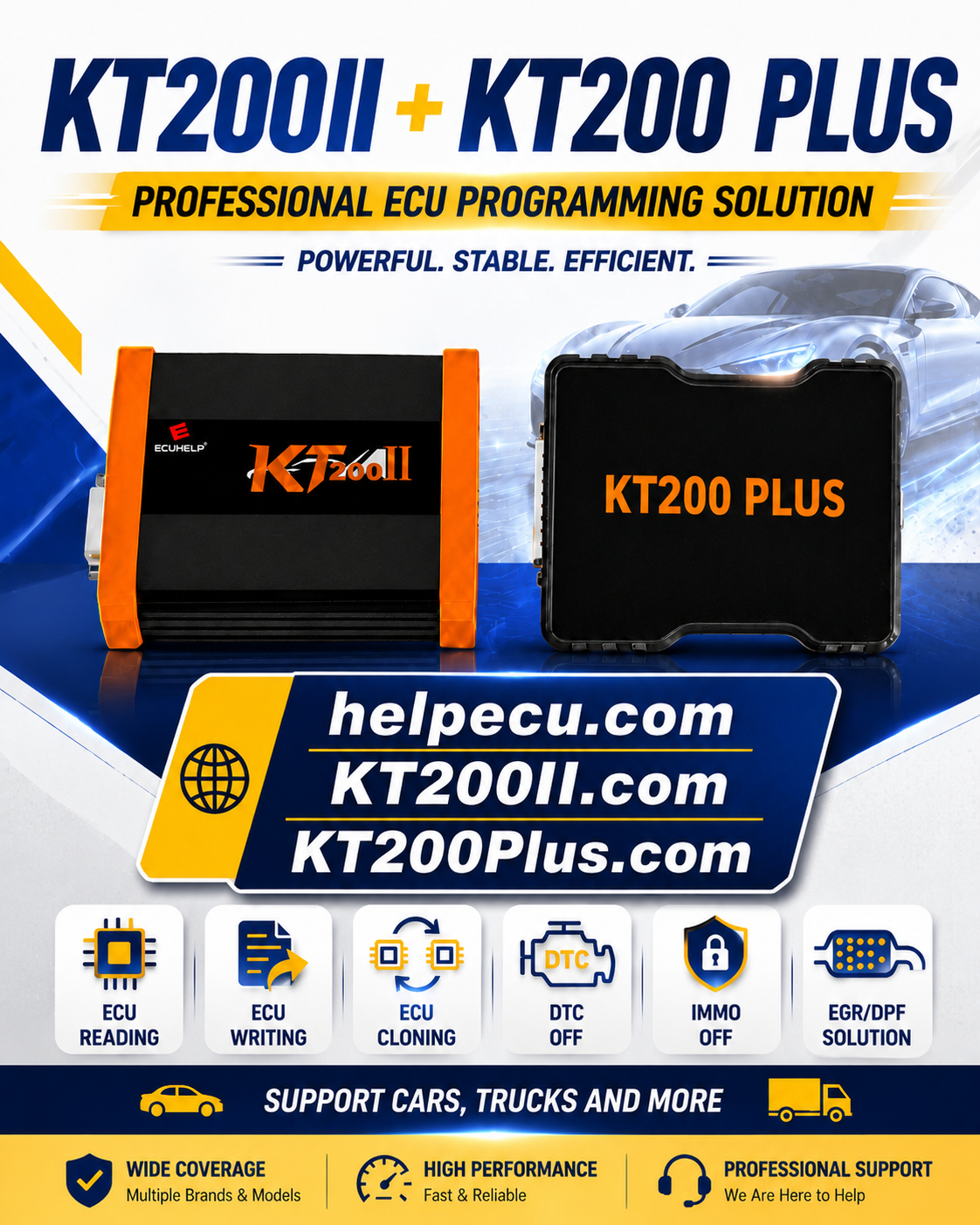
Replacing a failed engine control unit is not always as simple as installing another ECU with a similar connector.
Modern ECUs may contain engine software, calibration data, configuration information and vehicle-specific data that must be handled correctly before a replacement unit can operate normally.
KT200 Plus ECU cloning gives professional technicians a supported method for reading original control-unit data and transferring the required information to a compatible replacement ECU.
However, a successful clone depends on much more than pressing Read and Write. The technician must identify the original ECU, select a compatible donor, confirm protocol support, create reliable backups and verify the vehicle after installation.
This guide explains how to prepare a professional KT200 Plus ECU cloning job, which ECU details should match and which mistakes can cause a replacement unit to fail.
What Is ECU Cloning?
ECU cloning is the process of transferring the required data from an original control unit to a compatible replacement unit.
The goal is to make the replacement ECU contain the supported data needed for the authorized repair while retaining the correct vehicle and engine configuration.
Depending on the ECU family and protocol, the cloning process may involve one or more memory areas, such as:
- Internal flash memory
- External flash memory
- EEPROM
- Microcontroller data
- Calibration data
- Configuration information
- Vehicle-specific authorization data
- A complete supported backup
Some KT200 Plus protocols provide a dedicated cloning function. Other supported workflows may require the technician to read and transfer specific memory sections.
ECU Cloning Is Not the Same as Writing a Tuning File
A tuning file usually changes calibration data inside the original ECU.
ECU cloning may require additional memory areas that identify the vehicle, hardware and control-unit configuration.
When Is ECU Cloning Used?
KT200 Plus ECU cloning may be used during authorized repair situations where the original control unit can no longer remain in service.
Water-Damaged ECU
Original data may still be readable even when corrosion or physical damage makes the ECU unreliable for continued use.
Internal Hardware Failure
A failed power circuit, communication driver or output stage may require installation of compatible replacement hardware.
Accident Damage
A damaged ECU housing or connector may make replacement safer than repairing the original casing.
Corrupted Control Unit
A replacement may be required when software recovery is not practical or the original unit contains both data and hardware problems.
Professional ECU Repair
ECU repair workshops may transfer supported original data after confirming that a donor unit is electrically and electronically compatible.
Transmission Controller Replacement
Selected TCU and mechatronic protocols may provide supported backup, write or cloning workflows.
ECU Cloning, Programming and Coding
These terms are related but do not always describe the same operation.
| Operation | Main Purpose | Typical Data |
|---|---|---|
| ECU Reading | Retrieves supported data from the original control unit. | Flash, EEPROM, MCU, calibration or complete backup depending on the protocol. |
| ECU Writing | Programs verified data into a supported control unit. | Original, repaired, calibrated or replacement data. |
| ECU Cloning | Transfers the required original data to compatible replacement hardware. | One or more memory areas or a dedicated clone package. |
| ECU Coding | Configures supported vehicle options or module parameters. | Vehicle configuration or diagnostic coding information. |
| ECU Adaptation | Completes supported initialization or learning after replacement. | Procedures carried out through a suitable diagnostic system. |
| ECU Tuning | Adjusts supported engine or transmission calibration. | Calibration maps and related checksums. |
A cloned replacement may still require diagnostic coding, initialization or adaptation depending on the vehicle and control-unit design.
What Can KT200 Plus Do?
KT200 Plus is designed for supported ECU and TCU reading, writing, cloning, repair and professional data operations.
Depending on the selected protocol, available functions may include:
- Control-unit identification
- Flash reading and writing
- EEPROM reading and writing
- Microcontroller data access
- Full backup where supported
- Dedicated cloning procedures
- Checksum handling according to the protocol
- Virtual reading for selected ECUs
- Recovery for selected supported control units
- OBD, Bench, Boot and JTAG operation
Review the main capabilities on the KT200 Plus Features page .
Search the ECU, TCU, chip, MCU or cloning protocol in the KT200 Plus Supported Vehicles database .
A Listed ECU Does Not Confirm Every Function
One protocol may provide reading and writing, while another may include a dedicated cloning or complete-backup function.
Confirm that the exact required operation is available before removing or programming the control unit.
How to Identify the Original ECU
Accurate identification is the first step in ECU cloning.
Record the following information before choosing a replacement unit:
- Vehicle manufacturer
- Vehicle model
- Production year
- Engine type and engine code
- Fuel type
- ECU manufacturer
- ECU family
- OEM part number
- Hardware number
- Software number
- Calibration number
- Processor or MCU type
Take clear photographs of the complete ECU label and connector before disconnecting the unit.
Do not select a donor ECU only because the housing and connector look identical.
How to Choose a Compatible Donor ECU
A suitable donor should use hardware that is compatible with the original ECU and the selected KT200 Plus protocol.
| Compatibility Point | Why It Matters | Recommended Check |
|---|---|---|
| ECU Family | Determines the general electronic and processor architecture. | Match the complete family name, not only the manufacturer. |
| Part Number | Helps identify the original vehicle and hardware application. | Use the same number where possible or verify a valid replacement. |
| Hardware Number | Identifies the physical electronic version. | Matching hardware is normally the safest starting point. |
| Processor or MCU | Determines memory access and programming protocol. | Confirm the same supported processor generation. |
| Memory Layout | Different versions may use different flash or EEPROM sizes. | Compare expected file sizes and protocol information. |
| Connector and Pinout | Similar housings can use different internal circuits. | Confirm the exact diagram before applying power. |
| Vehicle Application | Hardware may differ by engine, transmission or regional market. | Compare the vehicle and engine application. |
When the donor number differs from the original ECU, request compatibility confirmation before writing.
Why the Original Backup Matters
The original ECU backup is the most important data in a cloning job.
It can provide:
- The original engine software
- The original calibration
- Vehicle-specific configuration
- A reference for donor comparison
- Data required by a supported cloning workflow
- A possible recovery source if the write is interrupted
Read every memory area offered by the selected protocol before modifying or writing either unit.
Keep More Than One Backup Copy
Save the original files on the workshop computer and on a separate storage device or secure backup location.
Never overwrite the original read with a modified or prepared file.
Is an OBD Read Enough for Cloning?
Not always.
Some OBD protocols provide only calibration data or a virtual original file. This can be suitable for supported tuning work but may not include all data needed for ECU replacement.
Cloning may require:
- Full flash data
- EEPROM data
- Microcontroller data
- Configuration data
- A dedicated clone function
- A complete Bench or Boot backup
Check whether the selected protocol specifically provides cloning or the required memory access.
Choosing OBD, Bench, Boot or JTAG
OBD Mode
OBD communicates through the vehicle diagnostic port and may support identification, virtual reading, physical reading or writing for selected ECUs.
It is convenient but may not provide complete cloning data.
Bench Mode
Bench mode communicates directly with the ECU connector using controlled power, ground and communication connections.
It can provide direct access without opening the ECU housing when the protocol supports external Bench operation.
Boot Mode
Boot mode provides deeper processor-level access and may require opening the control unit or connecting to designated programming points.
It may be required for selected complete backups, recovery jobs and cloning operations.
JTAG Mode
JTAG uses a direct processor interface for supported advanced ECU and TCU data operations.
Review the differences in the KT200 Plus OBD, Bench and Boot guide .
Use the Mode Listed for the Exact Protocol
Do not select OBD because it appears easier when the supported clone operation requires Bench, Boot or another direct-access mode.
Professional KT200 Plus ECU Cloning Workflow
Diagnose the Original Vehicle
Save fault codes, vehicle symptoms and controller communication status before removing the original ECU.
Identify the Original ECU
Record the ECU family, part number, hardware number, software number and processor information.
Check KT200 Plus Protocol Support
Confirm whether the exact ECU provides reading, writing, complete backup or a dedicated cloning function.
Select and Inspect the Donor ECU
Compare the donor hardware, processor, memory layout and physical condition with the original unit.
Prepare Stable Power
Use a suitable regulated supply and confirm every power, ground and communication connection before applying voltage.
Read Original Identification
Save the identification report before reading the original memory data.
Create the Original Backup
Read all memory sections offered by the protocol and save each file with a clear name.
Read the Donor ECU
Save the donor identification and original donor data before programming it.
Compare Original and Donor Hardware
Verify that the ECU family, processor, memory structure and hardware are compatible with the selected cloning workflow.
Use the Supported Clone Procedure
Follow the exact KT200 Plus protocol instructions and use only the verified original files required by that workflow.
Verify the Donor After Writing
Read identification again where available and confirm that the programming operation completed normally.
Install and Diagnose the Vehicle
Reconnect the ECU, scan all relevant systems and complete required coding, initialization or adaptation procedures.
How to Organize ECU Cloning Files
Clear file organization reduces the risk of writing the wrong data to the donor unit.
A professional job folder may include:
- 01 — Vehicle information
- 02 — Original ECU label photos
- 03 — Donor ECU label photos
- 04 — Original diagnostic report
- 05 — Original ECU identification
- 06 — Original flash
- 07 — Original EEPROM or MCU
- 08 — Original complete backup
- 09 — Donor identification
- 10 — Donor original backup
- 11 — Final data written to donor
- 12 — Post-installation diagnostic report
Recommended File Name
Vehicle_ECU_PartNumber_HW_SW_Mode_Memory_Date_Status.bin
Use “ORIGINAL,” “DONOR” and “FINAL” clearly in the file names to prevent accidental selection.
Common ECU Cloning Mistakes
Choosing a Donor by Appearance
Two ECUs can use the same housing and connector while containing different processors or circuit-board versions.
Writing Before Reading the Donor
Save the donor’s original data before changing it. This provides a reference if the donor must be restored.
Assuming a Calibration Read Is a Complete Backup
A calibration file may not include EEPROM, configuration or all vehicle-specific data.
Using the Wrong Protocol
Similar ECU family names may contain different processors and memory layouts.
Using Unstable Power
A voltage drop during erasing or writing can leave the donor ECU with incomplete data.
Mixing Original and Donor Files
Store each unit’s data in a separate folder with clear file names.
Skipping Checksum Verification
Confirm whether checksum handling is completed by the protocol, file software or professional file service.
Ignoring Post-Installation Diagnostics
A completed write does not confirm that every vehicle system is operating correctly.
Trying to Clone Incompatible Hardware
Data transfer cannot make fundamentally incompatible ECU hardware equivalent.
What If the Original ECU Does Not Communicate?
No communication does not automatically mean that all original data is permanently lost.
Check:
- ECU power and grounds
- CAN or K-Line communication circuits
- Connector damage
- Water or corrosion damage
- Protocol selection
- Bench wiring
- Programming software and drivers
- Internal ECU power-supply circuits
Selected ECUs may provide deeper access through a supported Boot or JTAG protocol.
Avoid random recovery attempts. Record the original symptoms and contact technical support before applying an uncertain procedure.
What If the Donor Does Not Communicate After Writing?
Do not immediately repeat the write with unrelated files.
Record:
- The original ECU identification
- The donor ECU identification
- The selected protocol
- The connection mode
- The files written
- The error message
- The write-completion status
- The power-supply behavior
Recheck the donor hardware, protocol, wiring and file selection.
Contact the ECUHELP Technical Support Center with screenshots, ECU labels and original files.
Post-Cloning Vehicle Checks
After installing the replacement ECU, complete a structured verification.
- Confirm ECU communication
- Read the ECU identification
- Perform a complete vehicle scan
- Save all new fault codes
- Clear appropriate stored faults after repair
- Verify engine starting and idle quality
- Review important live data
- Confirm communication with related modules
- Complete required coding or adaptation
- Perform a safe functional test
Do not deliver the vehicle based only on the fact that the engine starts.
KT200 Plus Software and Updates
Use the software package and driver intended for the connected KT200 Plus device.
Avoid unknown installers or files obtained from unverified sources, especially before an important cloning or recovery job.
Visit the KT200 Plus Software Download page for software information.
Official ECUHELP downloads, drivers, wiring diagrams and related resources are also available through the ECUHELP Download Center .
Buying KT200 Plus
KT200 Plus is intended for professional ECU repair shops, tuning businesses and automotive electronic technicians who need supported ECU and TCU reading, writing and cloning capability.
Before ordering, verify the ECUs and TCUs most frequently handled by your workshop.
Current product information and ordering are available through the official ECUHELP KT200Plus product page .
KT200 Plus ECU Cloning Checklist
Confirm These Points Before Writing the Donor
- The vehicle is part of an authorized repair job
- The original ECU is correctly identified
- The donor ECU label has been recorded
- The ECU family and processor are compatible
- The hardware numbers have been compared
- The KT200 Plus protocol includes the required operation
- The correct OBD, Bench, Boot or JTAG mode is selected
- The connection diagram has been verified
- Stable power is prepared
- The original ECU identification is saved
- All available original memory areas are backed up
- The donor’s original data is backed up
- Original and donor files are stored separately
- Checksum handling is confirmed
- The post-installation diagnostic procedure is prepared
Frequently Asked Questions
Can KT200 Plus clone an ECU?
KT200 Plus supports ECU cloning for compatible control units and protocols. Exact data requirements depend on the ECU family, processor and available operation.
Can KT200 Plus clone a TCU?
Selected TCU and gearbox protocols provide supported reading, writing or cloning operations. Check the exact control unit before starting.
Does the donor ECU need the same part number?
Using the same part and hardware number is normally the safest approach. Different numbers should be verified for compatibility before writing.
Can I clone an ECU using only an OBD read?
Not always. Some OBD reads contain calibration data rather than the complete memory information required for cloning.
Should I read the donor ECU before writing?
Yes, whenever the protocol allows it. Save the donor identification and original data before changing the unit.
Does a cloned ECU require coding?
Some vehicles may still require diagnostic coding, initialization or adaptation after installation.
What should I send for compatibility checking?
Send the vehicle model, production year, engine, original ECU label, donor ECU label and the operation required.
Where can I purchase KT200 Plus?
KT200 Plus can be ordered through the ECUHELP official product page.
Final Thoughts
KT200 Plus ECU cloning can help professional workshops replace supported damaged or unreliable engine and transmission control units.
Successful cloning depends on correct ECU identification, compatible donor hardware, complete original backups and the correct programming protocol.
A similar housing, connector or ECU family name does not automatically confirm that two control units are compatible.
Before writing, compare the original and donor hardware, save both units’ data, prepare stable power and follow the exact KT200 Plus instructions.
After installation, complete a full diagnostic scan and all required coding, adaptation and functional checks.
Confirm Your Original and Donor ECU
Send ECUHELP clear photos of both ECU labels, the vehicle information and the required cloning operation for compatibility checking.
Review the KT200 Plus ECU and TCU programming features .
Search the KT200 Plus supported ECU, TCU and cloning protocols .
Compare the KT200 Plus OBD, Bench and Boot modes .
Download KT200 Plus software and drivers .
Review common questions on the KT200 Plus FAQ page .
View and order the official KT200Plus ECU Programmer .
Get help from the ECUHELP Support Center .
Read more articles on the KT200 Plus Blog .
ECU cloning coverage depends on the control-unit family, hardware version, processor, memory layout, protocol, connection mode and donor compatibility.
Always save the original and donor data, use stable power and confirm the exact supported procedure before writing a replacement control unit.



Comments (4)