
ECU Firmware vs Calibration: Understanding the Differences Before Programming
Modern engine control units rely on software and calibration data to manage engine operation. When technicians read ECU files, investigate software problems or prepare a controller for programming, they may encounter terms such as firmware, calibration, Flash and software version.
These terms are related, but they do not necessarily describe the same information. Understanding the differences helps technicians identify the correct files, evaluate compatibility and avoid mistakes when working with ECU programming equipment.
This KT200 Plus guide explains what ECU firmware and calibration data mean, how they work together, and what to verify before reading or writing a controller.
1. What Is ECU Firmware?
ECU firmware is the software that enables an electronic control unit to perform its programmed functions. Depending on the controller architecture, firmware may contain executable instructions, control logic, communication routines and other software components.
In an engine ECU, these instructions help determine how the controller processes sensor inputs, manages actuators and coordinates engine operating functions.
Firmware-related information may be relevant when:
- Investigating certain software-related ECU faults.
- Comparing controller software versions.
- Preparing a supported ECU software update.
- Checking compatibility between an original and replacement ECU.
- Reading or writing supported ECU memory regions.
The exact firmware structure varies by manufacturer, processor family and ECU generation. Some controllers store different software components across multiple memory regions.
Consequently, technicians should not assume that one file always represents the complete firmware of an ECU.
2. What Is ECU Calibration Data?
ECU calibration data defines or adjusts operating parameters used by the controller's software. Depending on the application, these parameters may include values, tables, maps, limits and other data used by engine management functions.
Calibration data can influence how the ECU applies its control strategies under different operating conditions.
Depending on the engine and controller, calibration information may relate to:
- Fuel injection quantity and timing strategies.
- Torque management.
- Air and boost control.
- Temperature-related operating limits.
- Engine protection strategies.
- Emissions-related control functions.
These are general examples. The actual contents of a calibration file depend on the engine, ECU software and manufacturer-specific implementation.
Calibration data does not necessarily exist as a separate file. In some ECUs, it is stored within a larger software image or organized across multiple memory regions.
3. ECU Firmware vs Calibration: Main Differences
| Feature | Firmware | Calibration Data |
|---|---|---|
| Primary role | Provides software instructions and control logic | Provides operating parameters used by the software |
| Typical contents | Executable code and other software components | Maps, tables, values and control parameters |
| Effect of changes | May change software behavior or supported functionality | May change how existing control strategies operate |
| Storage location | Depends on ECU memory architecture | May be stored separately or within a larger software image |
| Compatibility requirements | Processor, hardware and software compatibility | Compatible software structure and intended ECU application |
| Programming considerations | Correct firmware version and supported Write operation | Correct calibration, file structure and applicable validation |
The distinction is conceptual rather than universal. Some manufacturers use different terminology, and a single ECU file may contain both executable software and calibration data.
Always use the controller-specific documentation to determine what a particular file actually contains.
4. How Firmware and Calibration Work Together
Firmware and calibration data work together to control engine operation.
The firmware implements the control logic, while calibration data supplies parameters that influence how that logic behaves.
For example, a control algorithm may use a calibration table to determine a target value under a particular operating condition. The firmware determines how that table is accessed and how the resulting value is used.
This relationship explains why firmware and calibration files cannot automatically be exchanged between different ECUs.
A calibration developed for one software version may depend on a particular data structure or parameter definition. If the target firmware uses a different structure, the same calibration data may not be appropriate.
Compatibility therefore requires more than comparing filenames or file sizes.
5. What Is the Relationship Between Firmware, Flash and EEPROM?
Firmware and calibration describe types of software or data, while Flash and EEPROM refer to memory technologies. These concepts should not be treated as interchangeable.
Flash Memory
Flash memory is commonly used to store executable software, calibration information or other controller-specific data. The exact arrangement depends on the ECU.
A Flash Read may retrieve a complete supported memory image or only a particular region, depending on the programming protocol.
EEPROM
EEPROM is non-volatile memory that can be electrically erased and rewritten. Depending on the controller, it may store persistent configuration information or other controller-specific data.
EEPROM should not automatically be considered the location of all calibration data or security-related information. Actual memory organization varies by ECU.
Why the Distinction Matters
When a programming tool offers separate Flash and EEPROM operations, technicians must understand which data each operation accesses.
A successful Flash Read does not necessarily include EEPROM contents, and reading EEPROM does not automatically provide the firmware required for a software update.
Before starting, confirm the memory region and the purpose of the selected operation.
6. How to Identify Firmware and Calibration Files
Correct file identification is essential when preparing an ECU programming job.
Start by recording the controller information available from its label, diagnostic identification or supported programming software.
Important information may include:
- ECU manufacturer and part number.
- Hardware number and revision.
- Software identification.
- Calibration identification where available.
- Processor or MCU information where relevant.
- Original file name, size and source.
- Memory region associated with the file.
Keep the identification information with the corresponding files so that original and modified data can be distinguished later.
Do not assume that a filename accurately describes the contents of a file. Verify the file against the ECU identification and the applicable technical information.
7. Why Matching File Sizes Does Not Guarantee Compatibility
File size is useful for basic file verification, but it cannot independently establish compatibility.
Two ECU files may have the same size while containing different software versions, calibration values or memory contents.
Likewise, files with different sizes may represent different memory regions, file formats or supported reading methods.
When evaluating a file, check:
- The source ECU and target ECU.
- Hardware compatibility.
- Software and calibration identification.
- The intended memory region.
- File format and expected size.
- Whether the file is complete or represents a partial read.
- Any applicable checksum requirements.
A checksum check can help identify certain data-integrity problems, but it does not independently prove that a file is appropriate for the target controller.
If compatibility cannot be established, resolve the uncertainty before performing a Write operation.
8. Why Original ECU Backups Matter
When the selected protocol supports the required Read operations, preserving original ECU data before making changes is strongly recommended.
An original backup provides a reference for comparison and may be important for supported repair or replacement procedures.
Use a structured backup workflow:
- Record ECU identification. Save the part number, hardware revision and software information where available.
- Identify the required memory regions. Determine which data is relevant to the intended operation.
- Read supported regions. Follow the documented protocol for the exact controller.
- Verify completion. Check the software's reported result for each Read operation.
- Organize the files. Use descriptive names and separate original files from modified copies.
- Preserve the originals. Keep unchanged backups in a secure location.
Do not assume that a single file contains the complete firmware, calibration and persistent data required for every repair.
The required backup depends on the ECU architecture and the specific procedure being performed.
9. Choosing Between a Firmware Update and a Calibration Change
A firmware update and a calibration change serve different purposes, although a particular programming package may include both.
Firmware Update
A firmware update changes software components in accordance with a supported update procedure. Depending on the application, it may address a documented software issue, revise controller behavior or provide compatibility with a particular configuration.
Before updating, confirm that the firmware is intended for the exact ECU and vehicle application.
Calibration Change
A calibration change modifies supported operating parameters within the applicable software structure.
Before making a calibration change, verify that the calibration is compatible with the ECU software and hardware. Changes should also remain within applicable safety, emissions and legal requirements.
When the Difference Is Unclear
Some files combine software and calibration data, making it difficult to classify them based on the file alone.
In these cases, use the programming software's documentation and reliable technical information rather than assuming that every file is either firmware-only or calibration-only.
10. Checksum Verification and ECU File Integrity
Some ECU software uses checksums or other integrity-validation mechanisms to detect certain data inconsistencies.
Depending on the controller and programming method, checksum handling may be performed automatically by the software or may require a supported additional process.
Before writing a file, determine:
- Whether the selected protocol supports checksum handling.
- Whether the target file requires validation or correction.
- Whether the programming software reports any integrity errors.
- Whether the file is compatible with the exact ECU software version.
Checksum validation is not a substitute for compatibility verification. A file may pass an integrity check but still be unsuitable for the target ECU.
For more information about ECU file validation, review the KT200 Plus Checksum Guide, where available.
11. Common Mistakes When Working With Firmware and Calibration
Assuming Every ECU File Contains Only Calibration Data
A file may contain executable software, calibration data or a combination of different contents. Determine the file's purpose before using it.
Using a File From a Similar Vehicle Without Verification
Similar engine specifications do not guarantee identical ECU hardware, software or calibration structures.
Confusing Memory Technology With Data Type
Flash and EEPROM describe memory technologies, while firmware and calibration describe software or data. One concept does not automatically identify the other.
Ignoring the Software Version
Calibration compatibility may depend on the firmware version and the organization of the relevant data.
Writing Without Preserving Original Data
Where supported, preserve original memory data before modifying the ECU. This provides a reference if additional troubleshooting becomes necessary.
Assuming a Successful Write Guarantees Correct Operation
A completed Write operation does not prove that the file is suitable for the ECU or that the vehicle will function correctly. Post-programming verification remains important.
12. Using KT200 Plus for Supported ECU Programming
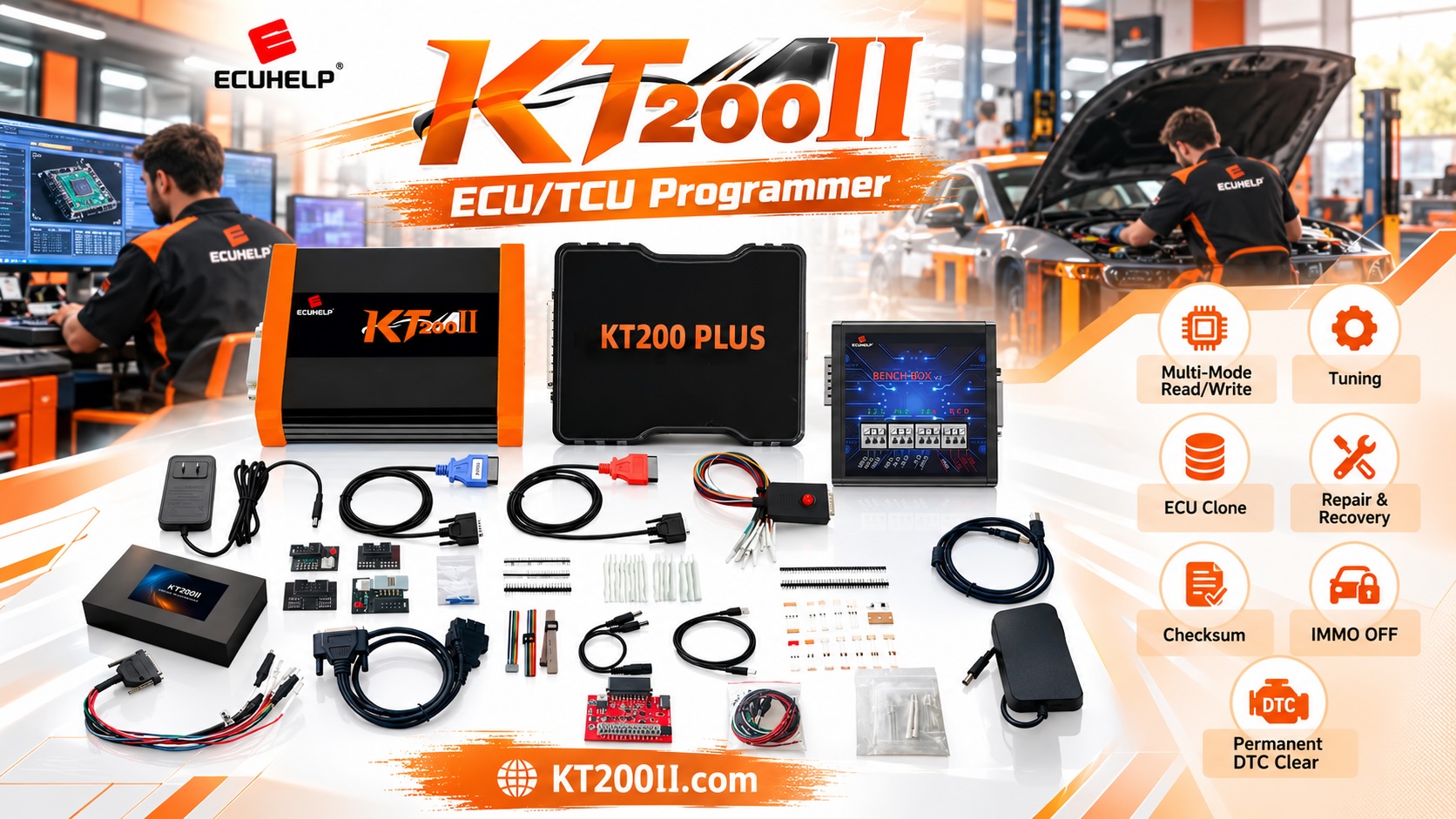
KT200 Plus is an ECU and TCU programming solution for compatible controller applications. When working with firmware or calibration data, technicians should confirm the exact controller, protocol and required memory operation before starting.
Before programming, verify:
- The exact ECU and hardware revision.
- The original software identification where available.
- Whether the intended Read or Write operation is supported.
- The appropriate OBD, Bench or specialized access method.
- The memory region involved.
- The compatibility of the target file.
- The electrical setup and connection requirements.
- The availability of original backups where supported.
Do not assume that every supported ECU allows firmware and calibration to be read or written independently. Available operations depend on the specific protocol and controller architecture.
For additional information, visit the KT200 Plus official website, review the KT200 Plus Supported Vehicles database and consult the KT200 Plus Operation Modes page.
ECU Firmware and Calibration Checklist
- Record the ECU part number and hardware revision.
- Identify the software version where available.
- Determine whether the file contains firmware, calibration or combined data.
- Identify the target memory region.
- Confirm the required programming operation is supported.
- Verify file compatibility with the target ECU.
- Check applicable checksum requirements.
- Preserve original data where supported.
- Follow the documented programming procedure.
- Complete post-programming diagnostic and functional checks.
Frequently Asked Questions
Is ECU firmware the same as ECU calibration?
No. Firmware generally refers to the software that implements controller functions, while calibration data provides parameters used by that software. However, some ECU files contain both types of information.
Can calibration data be changed without changing firmware?
Some controllers support separate calibration operations, while others use combined software images or different memory arrangements. The available procedure depends on the ECU and programming protocol.
Does Flash memory always contain firmware?
No. Flash may contain executable software, calibration data and other controller-specific information. Its contents depend on the ECU architecture.
Can I use the same calibration file on two ECUs with similar hardware?
Not without confirming compatibility. Hardware revision, firmware version, engine application and calibration structure may differ even when two controllers look similar.
Does checksum verification prove that a file is correct?
No. Checksum verification can help identify certain data-integrity issues, but it does not establish that a file is compatible with the target ECU.
Where can I check KT200 Plus ECU support?
Visit the KT200 Plus Supported Vehicles database and verify the exact controller and intended Read or Write operation before programming.
KT200 Plus Technical Resources
- KT200 Plus Official Website — explore product information.
- KT200 Plus Supported Vehicles — check controller compatibility.
- KT200 Plus Operation Modes — review supported programming methods.
- KT200 Plus Software — find software-related information.
- KT200 Plus Technical Blog — explore additional ECU and TCU programming guides.
Conclusion
ECU firmware and calibration data work together, but they serve different purposes. Firmware implements software functions, while calibration data supplies operating parameters used by those functions. The actual arrangement depends on the controller and its memory architecture.
Before using KT200 Plus to read or write ECU files, identify the target controller, determine the contents of the relevant memory region and verify file compatibility. Preserve original data where supported and follow the documented programming procedure.
Understanding these distinctions helps automotive technicians make better decisions when handling ECU software, calibration files and supported controller repair operations.
For more information about ECU and TCU programming equipment, visit the KT200 Plus official website.




