
ECU Flash vs EEPROM: Key Differences and What Technicians Need to Know
When working with engine control units, technicians may encounter terms such as Flash memory, EEPROM, calibration data and ECU backup files. Understanding these terms is important when preparing a programming operation, diagnosing controller problems or replacing a faulty ECU.
Flash and EEPROM are both types of non-volatile memory, meaning they can retain stored information when power is removed. However, they differ in their typical characteristics and uses. Their exact roles depend on the ECU manufacturer, processor architecture and memory design.
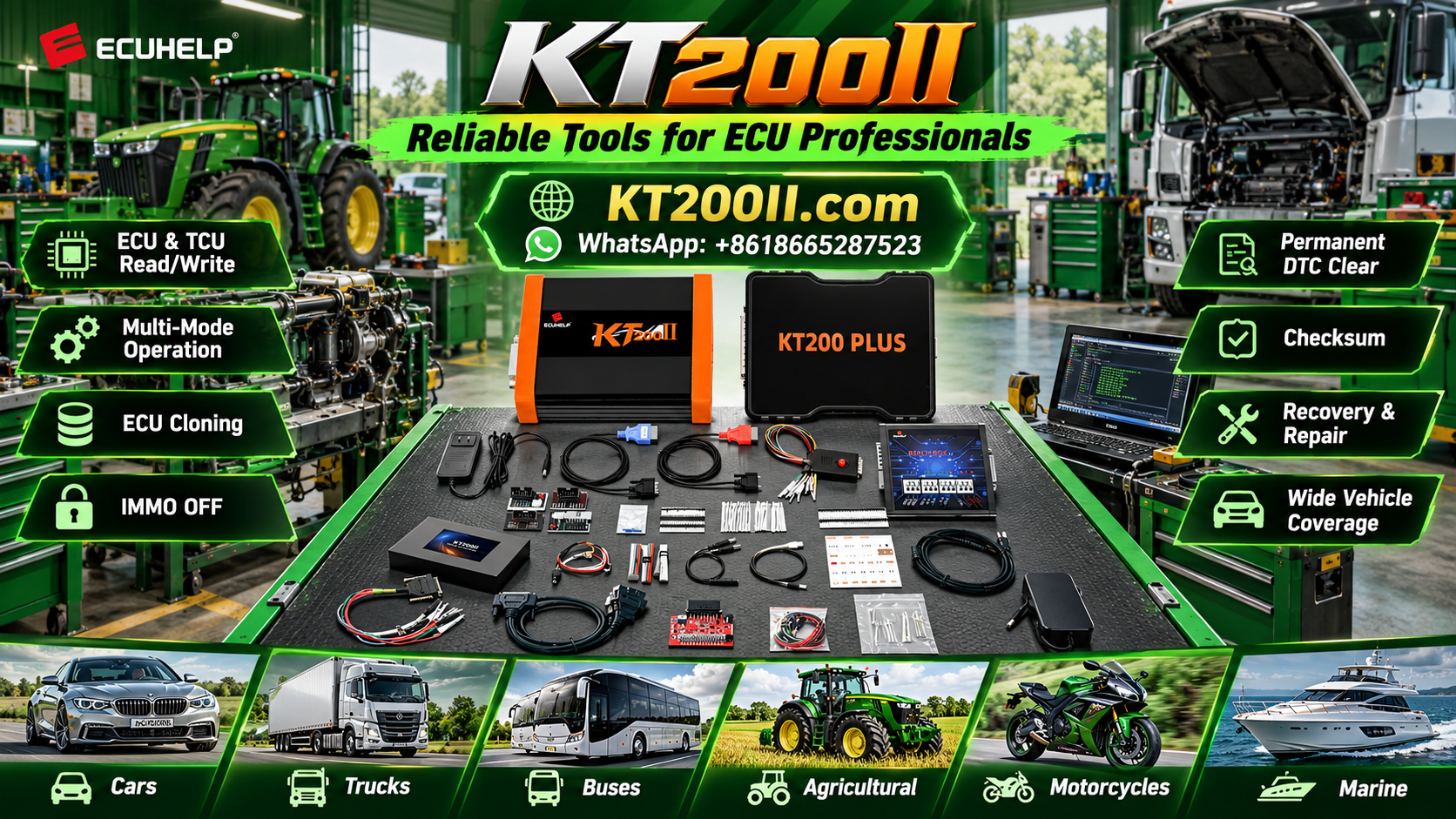
This KT200 Plus guide explains the differences between ECU Flash and EEPROM, what types of information they may store and what technicians should verify before performing supported Read or Write operations.
1. What Is ECU Flash Memory?
Flash memory is a type of non-volatile memory that can be electrically erased and programmed. In automotive control units, it is commonly used to store executable software, calibration data or other controller information, depending on the architecture.
Depending on the ECU, Flash memory may contain:
- Engine control software.
- Calibration tables and operating parameters.
- Application-specific data.
- Other software or data regions required by the controller.
Not every ECU organizes these items in the same way. Some controllers use separate memory regions, while others integrate multiple functions into a more complex storage architecture.
Why Does Flash Memory Matter?
Flash memory is often relevant when a supported programming operation involves engine software, calibration data or other large controller data regions.
Before reading or writing Flash, technicians should identify the ECU, confirm the supported memory operation and determine what the selected protocol actually accesses.
A file obtained from a Flash Read should not automatically be assumed to contain every item stored in the controller.
2. What Is EEPROM?
EEPROM stands for Electrically Erasable Programmable Read-Only Memory. It is non-volatile memory that can retain data without continuous power and allows supported electrical erase and write operations.
Depending on the ECU architecture, EEPROM or an equivalent non-volatile storage mechanism may hold configuration information, learned values, identification data or other controller-specific information.
Possible examples include:
- Selected configuration or adaptation data.
- Controller-specific identification information.
- Learned or stored operating values.
- Other application-specific persistent data.
These examples are not universal. Some controllers use emulated EEPROM, dedicated Flash regions or other storage arrangements instead of a separate EEPROM chip.
Why Is EEPROM Important in ECU Repair?
Some replacement or cloning procedures require particular data that is not included in the main Flash file. When such data is stored in EEPROM or an equivalent memory region, the applicable procedure may require a separate supported Read or Write operation.
Technicians should confirm the actual memory architecture and data requirements for the target ECU rather than assuming that every controller contains a separate EEPROM device.
3. ECU Flash vs EEPROM: Main Differences
| Feature | Flash Memory | EEPROM |
|---|---|---|
| Basic purpose | Often stores software, calibration data and other controller information | Often stores smaller persistent data sets or configuration information |
| Data retention | Retains data without continuous power | Retains data without continuous power |
| Typical organization | Commonly arranged in programmable memory regions or sectors | Traditionally supports more granular data updates |
| Common programming relevance | Software and calibration-related operations | Configuration and other persistent data operations, depending on the ECU |
| Read and Write support | Depends on the controller and protocol | Depends on the controller and protocol |
| Physical implementation | May be internal to a microcontroller or provided by a separate device | May be a separate device or emulated using other memory |
The most important point is that Flash and EEPROM are memory technologies, not universal definitions of particular vehicle data. Their functions vary between ECU designs.
4. Why Flash and EEPROM Files Are Not Interchangeable
A Flash file and an EEPROM file may represent different memory regions, structures and data requirements. They should not be treated as interchangeable simply because both originate from the same ECU.
Before using a file, establish:
- Which memory region the file represents.
- Whether the file was obtained from the correct controller.
- Whether the file format matches the selected programming operation.
- Whether the target ECU uses the same relevant memory architecture.
- Whether additional configuration data is required.
For example, a compatible Flash file may provide the required software but may not contain separate persistent configuration data needed by a particular replacement procedure.
Likewise, an EEPROM file should not be assumed to contain the complete application software required by the ECU.
5. When Should You Back Up ECU Flash?
Backing up supported Flash data can be useful before a software-related repair, a compatible programming operation or a documented controller replacement procedure.
A backup may provide a reference for comparison, recovery or other supported work, depending on the data retrieved and the ECU's requirements.
Before relying on a Flash backup:
- Confirm that the selected Read operation completed successfully.
- Record the ECU part number and available software identification.
- Identify which memory regions were retrieved.
- Keep the original file unchanged.
- Separate original files from modified working copies.
- Verify that the file format and size are consistent with the expected output.
A successful Read operation does not automatically prove that every Flash region has been retrieved. Follow the documentation for the exact ECU and programming protocol.
6. When Should You Back Up EEPROM?
An EEPROM backup may be important when the supported repair procedure requires persistent configuration or other controller-specific data.
Before performing a separate EEPROM operation, determine whether the ECU actually uses a separate EEPROM device or an equivalent storage mechanism, and verify that the selected protocol supports access to the required data.
Good backup practices include:
- Recording the ECU identification before reading.
- Saving the original data separately from other files.
- Verifying that the Read operation completed as expected.
- Recording the memory region and file type.
- Avoiding unnecessary modifications to original data.
- Confirming compatibility before writing the data to another controller.
Do not assume that every ECU requires a separate EEPROM backup or that an EEPROM file alone is sufficient for cloning or replacement.
7. ECU Cloning: Why Memory Architecture Matters
ECU cloning generally involves transferring specified data from an original controller to a compatible donor ECU. The required data depends on the controller design and the supported repair procedure.
Some applications may require particular Flash data, EEPROM data or other controller-specific information. Other applications may use different memory arrangements or require additional manufacturer-specific configuration.
Before beginning a cloning operation, verify:
- The original and donor ECU hardware compatibility.
- The available Read and Write operations.
- Which memory regions must be transferred.
- Whether the original controller provides access to the required data.
- Whether the donor controller supports the intended data.
- Any additional coding, configuration or authorized security procedures.
A matching Flash file does not necessarily mean that cloning is complete. Similarly, transferring one EEPROM file does not guarantee that the donor ECU is fully compatible with the vehicle.
8. What If the ECU Cannot Be Read?
If a controller cannot be read, first investigate the cause rather than immediately assuming that the memory is damaged.
Possible causes include an incorrect protocol, unstable power, poor connections, unsupported access methods or an internal controller fault.
A methodical troubleshooting process includes:
- Confirming the ECU part number and hardware identification.
- Checking the documented power and ground requirements.
- Inspecting the relevant wiring and connectors.
- Verifying that the selected protocol supports the intended Read operation.
- Recording the programming software's exact error message.
- Checking whether another documented access method is supported.
- Reviewing whether a verified original backup is already available.
Do not assume that switching to a different programming mode will solve every reading problem. The correct approach depends on the controller, its condition and the documented procedure.
9. How to Check ECU Memory File Compatibility
Before writing a Flash or EEPROM file, verify that the file is suitable for the target controller and intended memory operation.
Use the following checklist:
- Controller identification: Confirm the ECU manufacturer and complete part number.
- Hardware compatibility: Check the relevant hardware revision and architecture.
- Software identification: Compare the available software information.
- Memory region: Confirm whether the file represents Flash, EEPROM or another data area.
- File format: Verify the expected format and size.
- Integrity: Follow the applicable checksum or data validation requirements.
- Protocol support: Confirm that the selected operation is supported.
Matching file sizes or filenames do not prove compatibility. A file may be structurally valid yet still belong to a different hardware or software application.
10. Flash and EEPROM Programming Precautions
Writing to ECU memory can affect controller operation. Before beginning a supported Write operation, confirm that the setup and target data are correct.
- Use the documented programming procedure for the exact ECU.
- Verify the power supply and electrical connections.
- Preserve the original data where supported.
- Confirm the correct memory region and file.
- Check applicable checksum and integrity requirements.
- Avoid unnecessary interruptions during programming.
- Record the result and any reported error messages.
- Perform appropriate diagnostic and functional checks afterward.
If a Write operation fails, do not repeatedly retry without identifying the cause. Follow the documented troubleshooting or recovery procedure for the specific controller.
11. Using KT200 Plus for Supported ECU Memory Operations
KT200 Plus is an ECU and TCU programming solution for compatible controller applications. The available memory operations depend on the exact ECU, selected protocol and supported programming method.
Before using KT200 Plus for a Flash or EEPROM-related task, verify:
- The target ECU is supported.
- The required Read or Write operation is available.
- The relevant memory region is accessible through the selected protocol.
- The correct programming method and accessories are used.
- The target file matches the intended controller and memory region.
- Original data has been preserved where supported.
- Any applicable integrity checks and recovery requirements are understood.
Support for an ECU does not automatically guarantee access to every memory region. Some controllers have operation-specific limitations or require additional documented procedures.
For compatibility information, visit the KT200 Plus Supported Vehicles database. You can also visit the KT200 Plus official website for product and programming information.
12. Common Mistakes When Working With ECU Memory
Assuming Every ECU Has a Separate EEPROM Chip
Some controllers use emulated EEPROM or other memory arrangements. Verify the actual architecture before selecting a memory operation.
Treating a Flash File as a Complete Backup
A Flash file may not contain every memory region required for a particular repair. Confirm what the selected Read operation retrieves.
Writing EEPROM Data to an Incompatible Controller
Persistent data may depend on the controller architecture and application. Verify compatibility before transferring it to another unit.
Ignoring Original Data
Keep unchanged backups where possible. Original data can be valuable for comparison and supported recovery procedures.
Assuming a Valid Checksum Proves Compatibility
Checksum validation and file compatibility are separate checks. Verify the hardware, software and intended memory region independently.
Skipping Post-Programming Verification
After programming, review the reported result, confirm controller communication and perform the appropriate diagnostic and functional checks.
ECU Flash and EEPROM Checklist
- Identify the exact ECU and hardware revision.
- Confirm the supported programming protocol.
- Determine the memory region involved.
- Verify what the Read operation actually retrieves.
- Preserve original files where supported.
- Check file format and compatibility before writing.
- Follow the applicable integrity requirements.
- Use the documented electrical setup.
- Record programming results and errors.
- Complete post-programming verification.
Frequently Asked Questions
What is the difference between ECU Flash and EEPROM?
Both are non-volatile memory technologies. Flash commonly stores software and calibration data, while EEPROM is often used for smaller persistent data sets. Their actual roles depend on the ECU architecture.
Does every ECU have separate Flash and EEPROM memory?
No. Some controllers use integrated memory or emulate EEPROM functionality using other storage. Check the documentation for the exact ECU.
Can I clone an ECU using only a Flash file?
That depends on the controller and the supported cloning procedure. Some applications require additional memory or configuration data, so a Flash file alone may not be sufficient.
Should I back up EEPROM before programming?
If the supported procedure requires EEPROM or equivalent persistent data, preserve it where accessible. Not every ECU has a separate EEPROM operation, so verify the requirements first.
Can KT200 Plus read and write every ECU memory region?
No universal support should be assumed. Available operations depend on the exact controller and protocol. Check the supported vehicle information and the functions available for the intended operation.
Does a valid ECU memory file guarantee successful programming?
No. The file must also match the target controller, software application, memory region and supported programming procedure.
KT200 Plus Technical Resources
- KT200 Plus Official Website — explore product and programming information.
- KT200 Plus Supported Vehicles — check controller and protocol compatibility.
- KT200 Plus Technical Blog — explore additional ECU and TCU programming guides.
- ECUHELP Official Store — visit the official purchasing website.
Conclusion
ECU Flash and EEPROM serve different roles in many automotive controllers, but their exact functions and accessibility depend on the ECU architecture.
Before reading or writing controller memory with KT200 Plus, identify the ECU, confirm the supported operation, determine which memory region is involved and preserve original data wherever possible. Verify file compatibility and complete the appropriate checks after programming.
Understanding the difference between Flash and EEPROM helps technicians manage ECU files more carefully and prepare for supported repair, cloning and replacement procedures.
For more information about compatible controllers, visit the KT200 Plus Supported Vehicles database.




